

Why Your Meta Quest VR Headset Desperately Needs a VPN (And How to Set One Up)
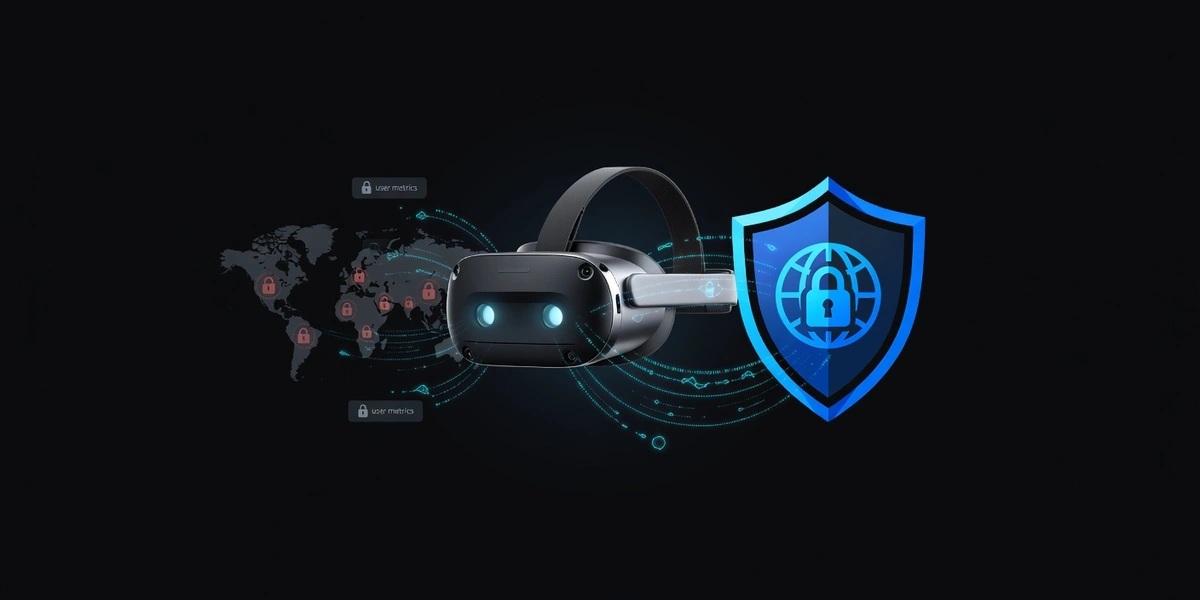
Your VR Headset is Watching You (More Than You Think)
Hey there, VR enthusiasts! Let's have a real talk about something most people don't think about when they're busy slaying dragons or exploring virtual worlds: your Meta Quest is a privacy nightmare.
I know, I know—you just want to escape reality and have some fun. But here's the thing: every movement you make, every app you use, and every virtual space you visit is being tracked, analyzed, and stored by Meta. That's on top of your regular internet activity being monitored by your ISP and potentially blocked by geographic restrictions.
The good news? There's a simple solution that can protect your privacy AND give you access to better VR content: setting up a VPN on your Meta Quest.
Why Your Quest Needs VPN Protection ASAP
1. Meta's Data Collection Goes Deep
Unlike your phone or laptop, your VR headset knows things about you that are incredibly personal. It tracks your physical movements, reaction times, where you look, how long you pause, and even your emotional responses to content. This biometric data is pure gold for advertisers—and it's being collected 24/7.
2. Geo-Restrictions Are Killing Your VR Experience
Ever notice how some of the coolest VR apps and games aren't available in your region? Or maybe certain content is blocked entirely? Geographic restrictions are everywhere in the VR space, and they're preventing you from accessing premium experiences that might be available just one country over.
3. Public Wi-Fi = Public Risk
Love taking your Quest to a friend's place or using it on public Wi-Fi? You're basically broadcasting your VR activities to anyone with basic hacking skills. Not exactly the private escape you were looking for, right?
The Challenge: Meta Quest Doesn't Play Nice with VPNs
Here's where it gets tricky. Unlike your smartphone or computer, the Meta Quest doesn't have a built-in VPN client. The Android-based system is locked down pretty tight, which means you can't just download a VPN app from the store and call it a day.
But don't worry—I've got you covered with some clever workarounds that actually work better than you'd expect.
Method 1: Router-Level VPN (The Gold Standard)
This is hands-down the best approach, though it requires a bit more setup. By installing a VPN directly on your router, every device in your home—including your Quest—automatically gets VPN protection.
Why I love this method:
- Set it once, protect everything
- No performance impact on your Quest
- Works seamlessly in the background
- Protects all your smart home devices too
The downside: You'll need a VPN-compatible router or be comfortable flashing custom firmware. Unblock Master VPN makes this easier with their router setup guides and 24/7 support team who can walk you through the process.
Method 2: Mobile Hotspot Magic
This is my go-to recommendation for most people because it's simple and effective. Here's how it works:
- Connect your phone to Unblock Master VPN
- Create a mobile hotspot from your phone
- Connect your Quest to this hotspot
Boom! Your Quest is now routing through the VPN. It's not the most elegant solution, but it works like a charm and doesn't require any technical wizardry.
Method 3: PC Sharing (For the Tech-Savvy)
If you've got a Windows PC with Wi-Fi capability, you can share your VPN connection:
- Connect your PC to Unblock Master VPN
- Enable mobile hotspot on Windows
- Connect your Quest to the PC's hotspot
This method gives you more control and typically better speeds than the mobile hotspot option.
Why Unblock Master VPN is Perfect for VR
Look, I've tested dozens of VPNs with VR setups, and Unblock Master VPN consistently delivers what VR users actually need:
Lightning-Fast Speeds
VR is incredibly bandwidth-intensive. Lag or stuttering can literally make you nauseous. Unblock Master's optimized servers maintain the high speeds essential for smooth VR experiences.
Rock-Solid Reliability
Nothing kills immersion like your connection dropping mid-game. Unblock Master's robust infrastructure means consistent, reliable connections that won't leave you hanging in virtual space.
Global Server Network
Want to access VR content from Japan, exclusive European apps, or US-only experiences? Unblock Master's extensive server network lets you virtually travel anywhere to unlock geo-restricted content.
Router Support Made Easy
Their detailed router setup guides and responsive support team make implementing router-level VPN protection actually achievable for regular people, not just networking experts.
The VR Privacy Revolution Starts Now
Setting up VPN protection for your Meta Quest isn't just about accessing blocked content—it's about taking control of your digital privacy in an age where tech companies want to know everything about you.
Your VR experiences should be private, unrestricted, and secure. With the right VPN setup, you can explore virtual worlds without wondering who's watching or what's being recorded.
The future of VR is bright, but only if we're smart about protecting ourselves along the way. Don't let Meta turn your escape from reality into their data goldmine.
Ready to give your Quest the protection it deserves? The setup might take 20 minutes, but the peace of mind lasts forever.
What's your experience been with VR privacy? Have you noticed geo-restrictions limiting your Quest library? Drop a comment below—I love hearing from fellow privacy advocates!
Tags: vpn setup, meta quest vr, online privacy, geo-restrictions, vr security
Last update: March 25, 2026, 6:01 a.m.

What is Unblock Master VPN?
Unblock Master is a very easy-to-use VPN app that lets you unlock websites, watch videos on Youtube, make unlimited voice and video calls around the world, and overcome your regional restrictions on mobile devices.
Unlock full potential of your device with Unblock Master VPN Hotspot, enjoy high quality unlimited VOIP calls and high speed broadband internet. Unblock Master VPN offers a secure path through public networks. Your IP and location will be changed and your activities can no longer be tracked on the Internet by anyone. Both mobile phones and tablets are supported by this VPN app.
- Unblock Master VPN keeps your privacy secured, reclaim your privacy!
- Changing IP address makes you anonymous on the internet.
- Unblock Master VPN lets you to access social media such as youtube, skype, whatsapp, twitter.
- Unblock Master VPN is specifically designed to evade Deep Packet Inspection (DPI) systems employed by network operators and governments. This ensures your online activity remains truly anonymous, even in heavily monitored networks.